
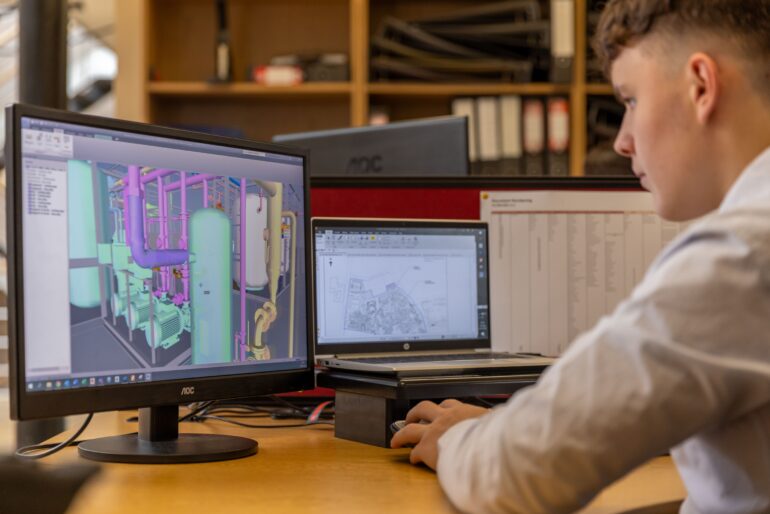

Photo: Pexels
CAD, short for computer-aided design, is software that lets designers and engineers build precise digital models of a product in two or three dimensions. For an inventor, a CAD model is the exact digital blueprint of an invention, capturing its dimensions, parts, and tolerances so the product can be rendered, analyzed, prototyped, or sent to a manufacturer. If a sketch is a rough idea, a CAD model is the buildable specification.
2D and 3D CAD
Two-dimensional CAD produces flat drawings, the digital version of a drafting table. Three-dimensional CAD builds a full model in space that can be rotated, measured, and sectioned. Most modern product work happens in 3D, because a single model can generate the flat drawings, the realistic images, and the manufacturing files all from one source of truth. Change a dimension once and every downstream output updates with it.
CAD versus a rendering
People often confuse the two. A rendering is a photorealistic picture of the product, the marketing-ready image. A CAD model is the underlying geometry that defines the object’s actual shape and size. A rendering is usually produced from a CAD model, but the CAD model is what a factory needs to quote tooling and production. One sells the idea; the other builds it.
Common CAD file types
You do not need to master the formats, but a few names come up often. STEP and IGES files are neutral formats that move a model between different CAD programs, which matters when you and a manufacturer use different software. STL files describe a surface as a mesh of triangles and are the common input for 3D printing. Native files, such as those a specific program saves by default, hold the full editable history of the model. When a vendor hands over CAD, ask which formats you will receive, because owning a neutral or native file keeps you free to work with anyone later rather than locked to one provider.
Why inventors care: from drawing to manufacturable file
A CAD model matters at two distinct stages. First, patent drawings. The United States Patent and Trademark Office requires an applicant to include drawings where they are necessary to understand the invention, a requirement set out in 35 U.S.C. 113 and described in the agency’s patent basics. CAD produces clean, consistent figures that meet those drawing standards far more reliably than freehand sketches.
Second, manufacturing. When you approach a manufacturer for a quote, a 3D CAD file is what they need to estimate tooling, materials, and production cost. Without it, a quote is guesswork. The Small Business Administration’s guidance for growing a small business touches on the importance of production-ready documentation when moving from concept to market.
What CAD does not do on its own
A CAD model is a representation, not a verdict on whether a design will function. Engineering judgment, material selection, and sometimes physical testing still matter. CAD makes those steps faster and more precise, and it allows a great deal of analysis to happen digitally before anyone commits to a physical build. University engineering programs, including many that run public makerspaces and design courses such as those documented by MIT, teach CAD as the foundation of that digital-first workflow.
CAD in a virtual-first development path
CAD sits at the center of how integrated product development works now. Enhance Innovations, an invention design and product development firm operating since 2010 from Champlin, Minnesota, builds a CAD model as part of a virtual prototype package that pairs photorealistic renderings with the underlying geometry and optional product animation. Keeping design, engineering, and marketing under one roof means the same CAD model feeds the patent figures, the renderings, and the manufacturing conversation, so an inventor is not paying separate vendors to rebuild the same geometry three times.
This article is educational and is not legal or engineering advice. Confirm technical and filing decisions with a qualified professional.