

Ever feel like your streaming gear is holding you back? Imagine turning a simple rig into a full-blown studio that makes your live shows pop.
Top streamers keep it smooth by using killer cameras, fast PCs, and mics so clear you’ll catch every sound (they make sure nothing gets lost in the mix).
In this guide, we’re breaking down the gear secrets behind these pro setups and tossing in some cool tricks to up your streaming game. Ready to level up? Let’s dive in and see how the right tools can boost your stream!
Insider Tour of a High-End Streamer Setup
Streaming setups have seriously leveled up. What once was a basic home setup has now transformed into a pro streaming rig built for killer content. Picture switching from a simple home theater to a fully loaded studio. Today’s gear is all about dedicated PCs, specialized cameras, and studio-grade mics that give you the edge in game play and broadcasts.
Top-tier equipment is making waves in the streaming world. Take the Starforge Voyager Creator Elite build, for example, it can handle big game titles while streaming live without breaking a sweat. Mevo cameras bring even more fun by offering HD output and wireless switching (you know, switching between camera angles with ease). And when you need that clear sound, the Logitech Blue Sona dynamic XLR mic shoots your audio straight into studio quality. With upload speeds of at least 10 Mbps for smooth 1080p60 streaming (or 5–7 Mbps for lower quality), this setup doesn’t just perform, it dominates.
This isn’t just about stacking fancy gear; it’s about nailing a smooth, immersive broadcast. By mixing robust parts like the Starforge PC, Mevo cameras, and Blue Sona mic, streamers get clearer visuals, stable signals, and top-notch audio. Every live session feels seamless and engaging, making this a truly epic pro streaming rig in today’s competitive world.
Breaking Down Professional Streaming Rig Components

Picking the right parts for your streaming setup is all about quality, trust, and smart spending. You need gear that handles multitasking smoothly and delivers clear visuals without emptying your wallet. When you shop, go for parts that have a good rep in both gaming and live streaming. That way, your hardware can handle intense gaming sessions and run your streaming software without a hitch. In short, invest in upgrades that boost your system’s speed and reliability during live shows.
| Component Name | Specification | Cost |
|---|---|---|
| Kingston HyperX Fury Red 16GB DDR4 RAM | High-speed memory for smooth multitasking | $119.20 |
| Samsung 860 EVO 500GB SSD | Fast storage for quick load times | $77.99 |
| Seagate BarraCuda 2TB HDD | Reliable extra storage for recordings | $54.99 |
| HP VH240a 23.8″ Full HD IPS Monitor | Crisp, anti-glare display for clear visuals | $109.99 |
| TKGOU USB Microphone | Entry-level mic for clear, quality audio | $21.99 |
Getting the perfect balance between cost and performance is the secret sauce for an epic streaming experience. Every part above plays its role in keeping your stream smooth and visuals sharp. With upgraded memory and storage, your rig can handle heavy tasks without a lag spike. Plus, a quality monitor gives you true-to-life colors with minimal delay, and a solid mic means your voice comes through clear, just like in a chat with friends. Investing in trusted hardware helps you build a setup that stays strong, even when the game gets heated.
Software Strategies and Advanced Broadcast Configuration
Picking the right streaming software is super important if you want your broadcast to run smoothly. Streamlabs Desktop is loaded with easy-to-use features like custom overlays (those graphics that give your stream a unique look) and donation integration that make it all feel personal. Talk Studio, on the other hand, keeps things chill by letting you manage multiple cameras right from your browser, so switching angles is a breeze. And then there's Mevo MultiCam, which offers wireless control and an auto-director option to keep your stream fresh and dynamic. Imagine setting up different camera views with just a few clicks, it really does make streaming feel epic.
Getting your live encoding right is all about balancing the right settings. You want the perfect bitrate (the speed at which your stream data flows) to keep your 1080p60 feed smooth during all the crazy action. For calmer moments, a slightly lower resolution might do the trick. Also, streaming on platforms like Twitch and YouTube at the same time spreads the load on your system, making everything work better. So, focus on solid encoding settings and a multi-platform plan to keep your stream reliable and ready for any challenge.
Elite Lighting, Audio, and Video Gear Essentials

Great lighting is the heart of a smooth stream. It wipes out shadows and makes every detail pop. Custom lighting setups using LED arrays (bright, modern lights) and soft boxes (which soften the light) give you a balanced look, cutting down on glare and keeping colors even. Picture a room where every corner glows perfectly, making even the tiniest details stand out. This setup not only sharpens your visuals but also works hand in hand with your camera setup to keep your stream feeling immersive and professional.
Sound matters just as much. A solid audio setup can transform your stream. Investing in a top-notch mic (one that captures clear, crisp vocals) is a smart move. For example, the Blue Sona dynamic XLR mic delivers studio-quality sound that really boosts your on-air presence. Tweak your room’s acoustics and use noise cancellation to even out your voice and block out background noise. Imagine your mic picking up your excitement while quietly setting aside the ambient distractions during a heated game moment.
A high-quality capture card is your secret weapon for flawless video. Using a top-tier capture card lets you stream in 4K60 Pro with lossless encoding, which means every single detail comes through clearly. This gear is critical for syncing multiple cameras smoothly, so your visuals stay vibrant and your transitions are seamless. Think of the capture card as a behind-the-scenes hero, keeping your broadcast sharp and consistent even when the action is nonstop.
Custom Layouts and Innovative Workstation Designs
Advanced workstation designs are changing the game for streamers who want setups that feel totally their own. New streaming workstations now mix easy layouts with high-grade efficiency. By adding cool features like pop-up alert windows and engagement tools on multi-screen setups, streamers get a clean, organized space that sparks creativity and keeps the on-air action smooth.
Dual-PC Performance Separation
Picture this: using two systems instead of one. One PC is all about gaming, while the other handles encoding tasks (that means processing graphics and effects). This split lets you use each system’s strength without slowing the other down. It’s pretty much like enjoying the best of both worlds.
Modular Configuration and Cable Routing
Think of your setup like a neat command center. Modular parts such as hot-swap drive bays and GPU mounts let you switch out components quickly. Plus, smart cable management cuts down the mess and improves airflow. With cables neatly tucked away and components easy to reach, any tweaks or fixes are a breeze. All these design choices come together to make your workflow smooth, reliable, and visually cool.
Side-by-Side Comparison of Exclusive and Budget Streamer Setups
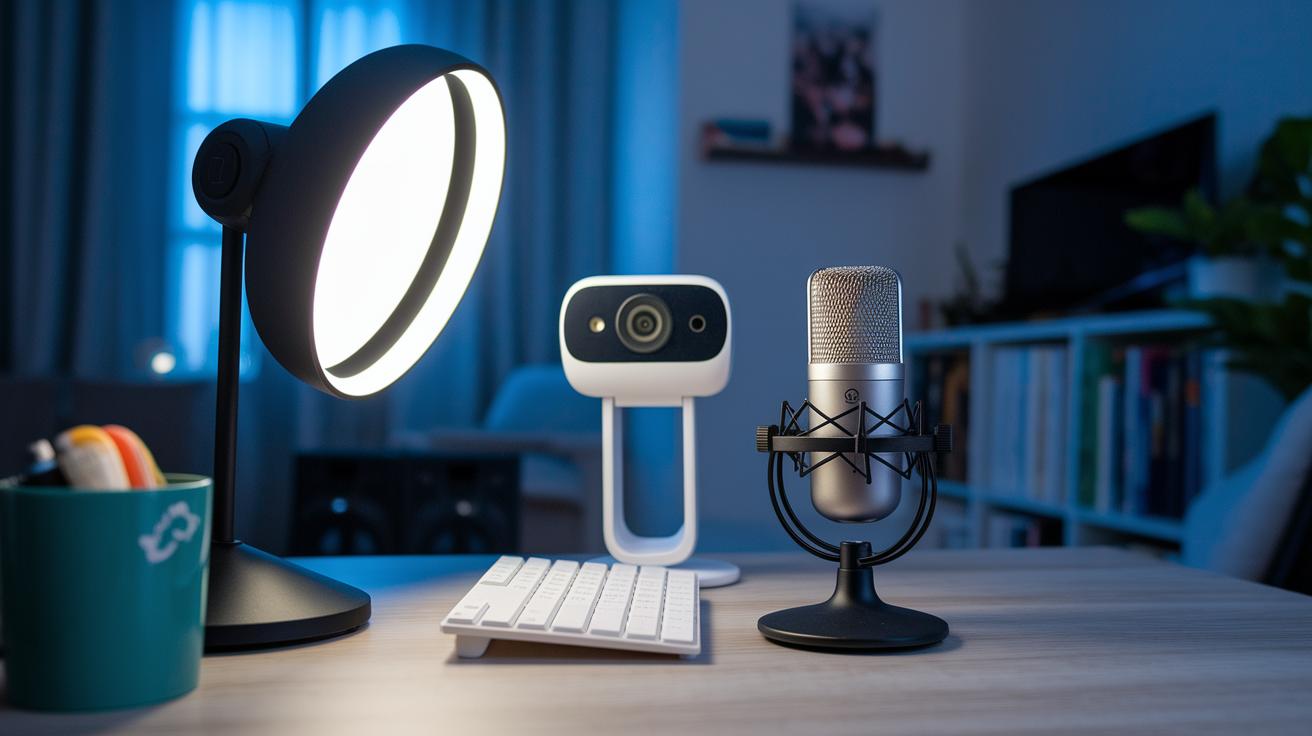
When you’re sorting out your streaming rig, it’s all about balancing what you get with what you pay for. Budget setups lean on reliable, entry-level gear that gets the job done without breaking the bank. For example, a TKGOU USB mic priced at $21.99 is great if you’re just dipping your toes in the streaming world. The cable organization might be basic, but it still cuts down on signal hiccups and helps your gear last longer. On the flip side, exclusive setups invest in top-notch equipment that brings clearer sound, smoother performance, and a sleek, professional vibe.
Picking between these styles means looking at the trade-offs. Budget models usually come with standard DDR4 upgrades and affordable cameras that still do a pretty good job. Stepping up to premium, you’re looking at high-end memory, advanced cameras, and professional lighting kits that really make your visuals pop. Plus, neat cable setups aren’t just for looks; they help avoid interruptions so your live streams run without a hitch. And with extras like surge protectors and UPS backups, you’re set for those intense streaming sessions.
| Budget Setup | Exclusive Setup |
|---|---|
| TKGOU USB Microphone ($21.99) | Blue Sona XLR Microphone |
| Standard DDR4 Upgrade | Premium Memory Kit with fast SSD/HDD combo |
| Entry-level Webcam | High-end Streaming Camera |
| Basic LED Lighting | Professional Lighting Setup with diffusion panels |
When you're choosing your setup, think about what fits your channel’s goals and wallet. If you want to build a loyal fan base with crisp and engaging content, splurging on premium gear might just give you that extra edge. But if you're just starting out or testing the waters, a budget setup is the perfect way to dive into streaming with solid, reliable performance. So, keep your balance between cost and performance in mind as you grow your channel. Enjoy the journey and happy streaming!
Next-Gen Trends in Exclusive Streamer Setup Features
VR streaming is seriously shaking things up for streamers and their fans. Picture gear that pulls you right into the game, blending live play with VR tech that feels almost like you're in the action. And there’s more, new mobile apps let you tweak settings on the fly, just like switching camera angles during a high-energy moment in your favorite movie.
Interactive polls and custom widgets are also stepping into the spotlight. Streamers now use LED accent lighting and cool virtual backgrounds to give every stream a unique look. This not only grabs your attention but also lets you see real-time feedback from fans, making each show feel fresh and interactive. With these next-gen features, every broadcast turns into a personal adventure, tailored, dynamic, and full of energy.
Final Words
In the action, we’ve covered a high-end streamer rig that pushes performance with top-tier gear, smart cable routing, and clever software choices. We broke down everything from the Starforge build to the Blue Sona microphone and even compared premium versus budget setups.
This exclusive streamer setup scoop highlights how high-quality equipment and innovative design turn streaming dreams into reality. It all points to increased reliability and that extra burst of excitement every time you go live. Stay stoked and ready to level up your game.
FAQ
How much does a full streaming setup cost?
The full streaming setup cost covers everything from PCs and cameras to lighting and audio gear. Prices range from a few hundred dollars for a basic setup to several thousand dollars for a high-end rig.
How much does a streamer with 1000 viewers make?
The earnings from having 1000 viewers come from ads, subs, and tips. Income varies widely depending on channel engagement, sponsorship deals, and the streamer’s overall monetization strategy.
Who is the #1 streamer in the world?
The title of #1 streamer is fluid and changes with current viewership and subscriber counts. Rankings shift often, reflecting the competitive and dynamic nature of the streaming scene.
How much money do streamers get from Tier 1 subs?
The earnings from Tier 1 subs generally split about half of the subscription fee to the streamer. This share can adjust slightly with platform bonuses and individual channel deals.